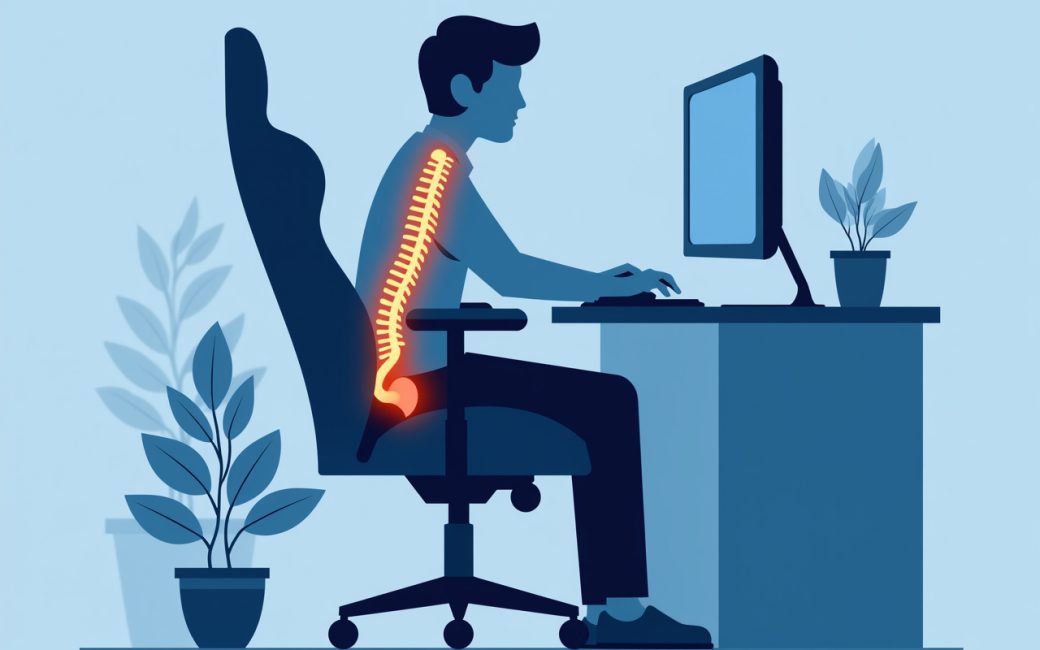
Prolonged sitting in one position

Hours in one posture is the actual problem a gaming chair is supposed to solve, not the racing stripes or the brand name on the headrest. When the lower back goes unsupported, the pelvis tends to tilt backward and the spine rounds into a slouch, which is why discomfort shows up two or three hours into a session rather than at the start. The fix isn't a more expensive chair across the board — it's two specific features: adjustable lumbar support that can be moved or inflated to sit against the actual curve of your lower back, and a seat height that lets your feet rest flat with your knees at roughly a right angle. Get those two right and the spine stays closer to a neutral position; get them wrong and no amount of padding or recline range compensates. If you're evaluating a chair under $300, check the lumbar adjustment and the height range before anything else — everything else on the spec sheet is secondary to those two numbers.
Chair bought without checking dimensions against user height and desk
A chair that looks right in photos can still leave your feet dangling or your arms reaching up to the keyboard, and that's a dimensions problem, not a quality problem. If the seat sits too high for your leg length, your feet lose contact with the floor; if it sits too low relative to your desk, your shoulders hike up to reach the keys, which loads the neck and upper back over a long session. IKEA's chair-buying guidance for gaming setups frames this as matching the seat to the person and the desk together, not choosing a chair in isolation — the retailer's own buying guide walks through checking seat height against desk height as a first step rather than an afterthought (IKEA). In practice that means:
- Sit with feet flat and knees near 90 degrees before you touch the armrests.
- Raise or lower the seat until your forearms rest level with the desk surface, not angled up or down.
- Adjust armrest height so shoulders stay relaxed rather than shrugged.
- If the chair's listed height range doesn't overlap comfortably with your own height and your desk height, that model is the wrong fit regardless of price.
Fit is a three-way match between body, chair, and desk — changing only the chair while ignoring the desk height just moves the strain somewhere else.
Gaming chair vs. office chair
Both are built to hold someone at a desk for hours, but the geometry underneath the upholstery differs. A gaming chair borrows its shape from motorsport bucket seats — high wraparound backrest, bolstered sides, deep recline — while a conventional ergonomic office chair is built around a mesh or foam task-chair frame designed primarily for upright desk work with a shallower recline range. Neither shape is automatically better for all-day sitting; it depends on what the bolstering and recline are actually for. A Steam Community discussion comparing the two makes the point plainly: the difference people notice as "gaming chairs feel different" mostly comes down to that bucket-seat bolstering and deeper recline rather than any built-in ergonomic advantage over a task chair (Steam Community). The practical takeaway: judge a chair on lumbar adjustment, seat height range, and armrest adjustability, not on which category it's marketed under.
| Attribute | Gaming chair | Office chair |
|---|---|---|
| Backrest shape | High, bolstered, bucket-style | Lower or mesh, less side bolstering |
| Recline | Often deep, sometimes near-flat | Limited, upright-focused |
| Marketing focus | Long gaming sessions | General desk ergonomics |
| Adjustability that matters | Lumbar support, seat height, armrests | Same three features, same importance |
Backrest and lumbar support, what they're actually doing
The backrest's job is to hold the spine's natural curve through hours of sitting, and the lumbar support is the part doing the specific work in the lower back. A high, reclining backrest without adjustable lumbar support just gives you a bigger surface to slouch against — it doesn't correct the pelvic tilt that causes the slouch in the first place. Look for lumbar support you can reposition vertically and adjust in firmness or depth, rather than a fixed foam bump sewn into the upholstery, since body proportions vary enough that a one-size cushion rarely lands in the right spot for everyone.
Doubt that a cheap chair will last
A chair under $300 isn't automatically a false economy, but price alone tells you nothing about whether the frame, gas lift, and foam will hold up under daily use — you need to see how a specific model was actually tested. Corsair's $200 TC200 chair was put through the same kind of load and cycle testing typically reserved for far pricier office furniture, including repeated compression and tilt testing to check the frame and mechanism under sustained stress, and Techspot's coverage of that testing is a rare look at what durability testing for a chair in this price bracket actually involves (Techspot). That's the standard to look for when comparing options at a similar price: not the sticker price itself, but whether the manufacturer or a reviewer has published load and cycle results, foam density figures, or gas-lift ratings you can compare across models. Chair retailers that specialize in the category, like LDLC's gaming chair buying guide, also frame the choice around build components — frame material, gas lift class, base material — rather than price tier alone (LDLC).
Reading a roundup or review before you buy
Review roundups vary a lot in what they actually test versus what they repeat from a spec sheet. Dexerto's gaming chair coverage, for instance, evaluates models across a spread of price points and use cases, which is useful for seeing how features change as price rises, but it's still worth checking whether a given pick was tested hands-on or assembled from manufacturer claims before treating any single ranking as settled (Dexerto). The features to check against any roundup's recommendation stay the same regardless of source: lumbar adjustability, seat height range matched to your own height and desk, armrest adjustment, and — where it's published — some form of durability or load testing rather than price as a stand-in for quality.
What to check before you order
Before adding anything to a cart, sit at your own desk with a tape measure and confirm three numbers: your desk height, your seat height when your feet are flat, and your forearm height when relaxed at the keyboard. Compare those against the adjustable range listed for any chair under $300 you're considering — if the ranges don't overlap, no amount of lumbar cushioning or bolstering will fix the fit.